The instructions are only for Windows PC (which I do not have) and third party software (which I do not want). I have actually tried this method, but it was an AMD processor which the software said it was incompatible with and it did not work. Is there a way to install this image using Linux?
I have tried:
after booting from the U-Boot menu to “USB eMMC Mode”
unzip -c AML-S805X-AC-Android-P-2021-07-01.emmc.zip | sudo dd of=/dev/sdb status=progress
After flashing and disconnecting “No bootable device found”
I’ve also tried Raspberry Pi Imager which fails to flash and provides an error:
Input file is not a valid disk image. File size 2941683496 bytes is not a multiple of 512 bytes.
All other non-Android images I’ve tried have worked. Mostly just curious how Android works on this device. It sounds extremely limited anyway, but I was hoping to at least try it.
You have to use proprietary AML flashing tools (aml_flash or equivalent) to flash from Linux. The version also matters. Android is based on Amlogic’s BSP which is very old and very non-standard. It’s not just dumping the image to disk as the Android images are built from the BSP and output to a special compressed format that only Amlogic’s flashing tool understands. It should work on Windows on a Windows AMD machine though.
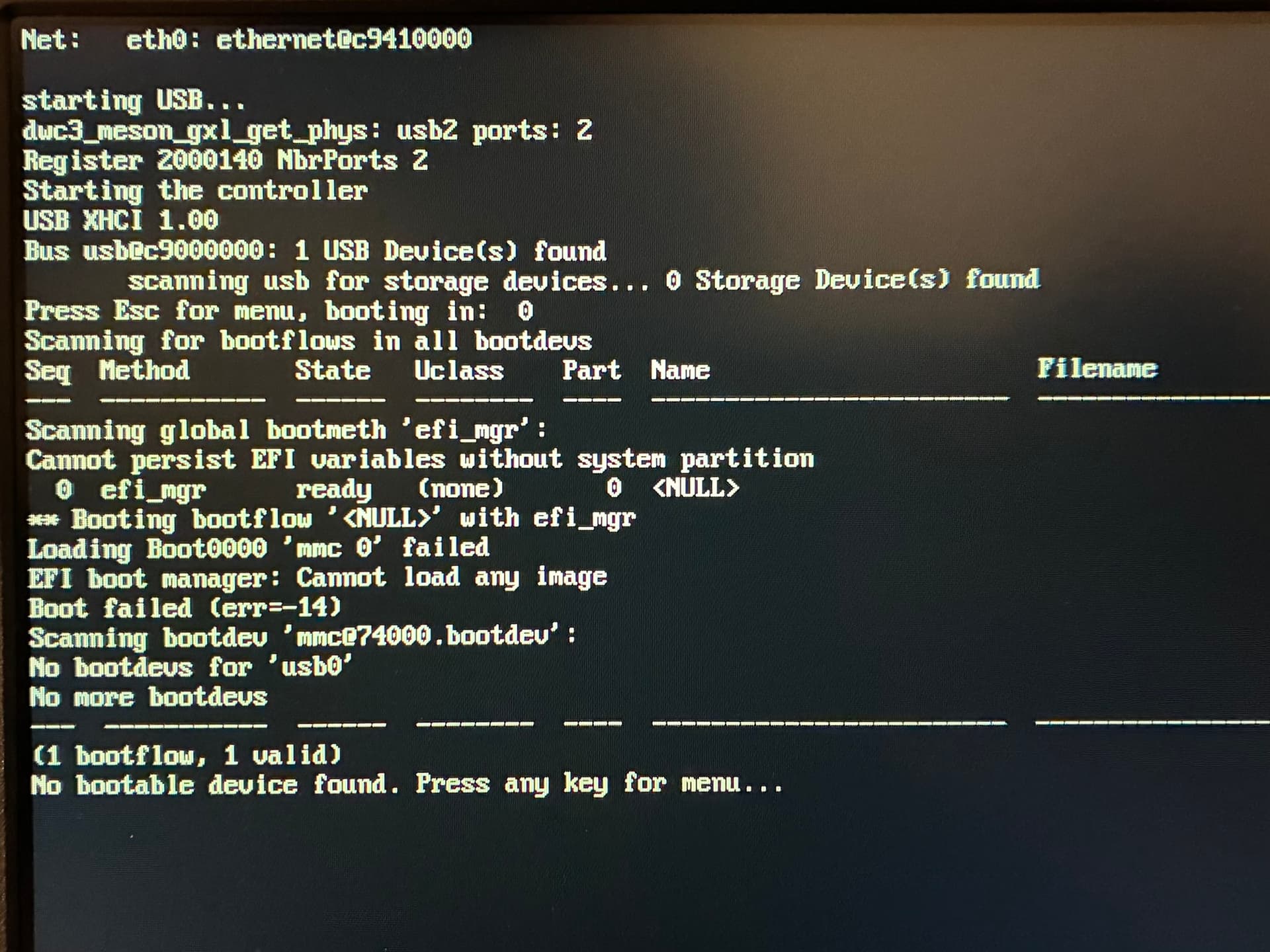
I decided to just use Windows 11 and step through the official Libre Computer instructions, following the links to various Google docs and installing the provided copy of the Amlogic Burn Tool. I flashed the image and got to “100% Burning Successfully”, but upon booting up the board receive this output which I believe just shows there’s no valid image to boot. I am clueless as to how to proceed.
However, I did stumble across EtherealOS in the U-Boot menu which is amazing and significantly simplifies the install process for the Debian based distros. That is an awesome net boot feature I’ve not seen in any instructions for thus. All others require another computer.
I’m not sure the Android image was really worth pursuing in the first place, but if anyone has any advice let me know.