Hello,
I’ve been trying for several days to boot my ROC-RK3399-PC Renegade Elite, but I have not been able to complete the boot process. I’m wondering whether the board could be defective or whether I may be missing a firmware, power, or boot-configuration requirement.
The board does not have an optional eMMC module installed, so I am attempting to boot exclusively from microSD. I have tested two cards:
-
Samsung EVO A1 microSD, which has worked reliably in other SBCs
-
Lexar 32 GB A1 microSD, although I understand that this card is not on your recommended list
I have also tested two different 5V/5A-class USB-C power adapters to help rule out a faulty or insufficient power supply. Please let me know if this board requires a particular fixed-output/non-PD supply, since both of mine use USB-C.
I successfully updated the onboard SPI firmware using roc-rk3399-pc-spiflash.img.
I have written the operating-system images using both Raspberry Pi Imager and Balena Etcher. I repeated the process on two separate computers—one running macOS and another running Fedora—with the same result each time.
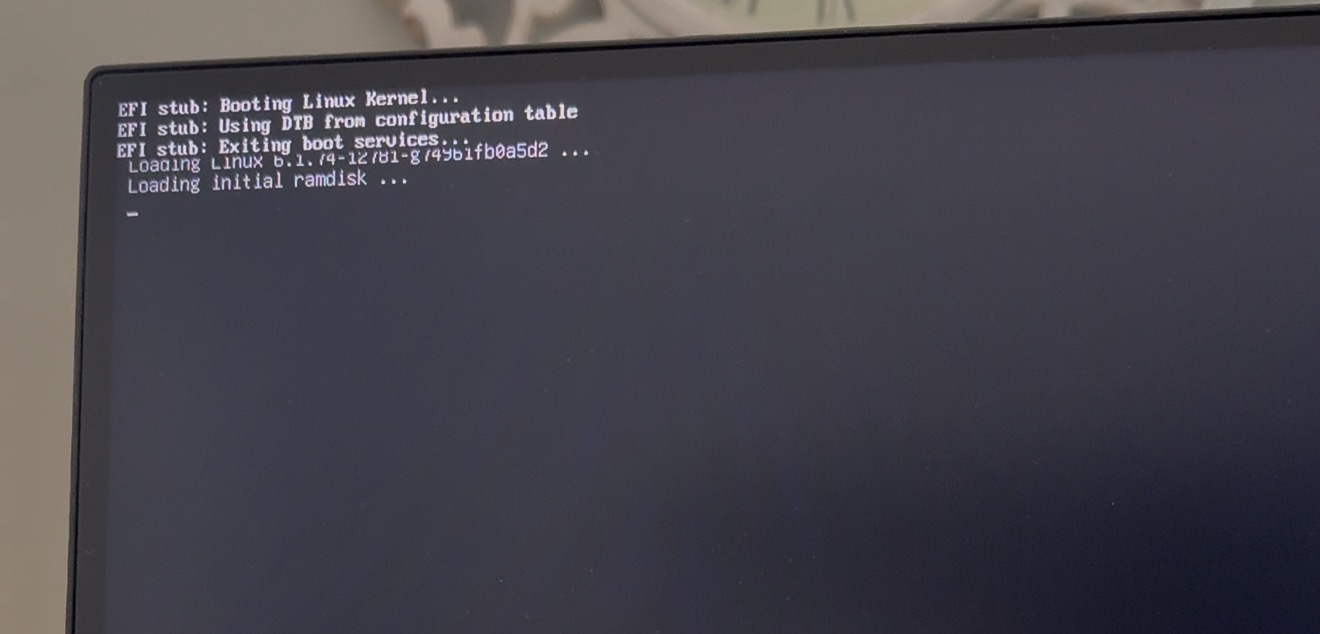
After writing an operating-system image to the microSD card, the board reaches the blue Debian GNU/Linux GRUB menu. Selecting the normal Debian GNU/Linux entry produces the following sequence.
-
GRUB displays “Booting Debian GNU/Linux” and begins loading Linux kernel
6.1.74-12781-g74961fb0a5d2. -
The EFI stub reports that it is booting the Linux kernel and using the DTB from the configuration table.
-
It exits EFI boot services and begins loading the initial ramdisk.
-
At approximately this point, the HDMI output briefly becomes garbled or loses synchronization, and the board restarts. It then returns to the GRUB menu and repeats the same cycle.
Based on the screen output, it appears that the SPI firmware is starting correctly, the microSD card and EFI partition are readable, GRUB is loading, and control is reaching the early Linux kernel boot stage. However, I do not see a kernel panic or other readable error before the board resets.
I have reproduced this exact behavior with the following images from the Libre Computer download site:
-
Raspbian:
2023-10-10-raspbian-bookworm-arm64+arm64.img -
Debian base:
debian-12-base-arm64+arm64.img -
Debian GNOME:
debian-12-gnome-base-arm64+arm64.img
All three images fail at approximately the same stage. I can only provide one image so I’ve attached the screenshot showing EFI Stub /boot handoff for your reference.
Given that I have tested two microSD cards, two power adapters, two imaging applications, two operating systems, and three Libre Computer images, could you please advise whether this boot sequence points to a known firmware, power-delivery, memory, or board issue?
If a serial UART boot log is needed to identify the exact failure, please let me know the recommended connection settings and which header pins I should use.
Thank you for your help,
Scott